
Almost everything that counts as a tax in an ERP is expressed the same way: a percentage of a base. VAT at 21%, excise per unit, discounts. The model is simple and covers nearly everything.
The green stamp tax does not fit it. It is not computed from the price, but from the equipment category — and the categories are defined by law as bands of weight and appliance type. A fridge costing 2,000 lei and one costing 6,000 carry exactly the same stamp, if they fall in the same band.
Because it does not fit the usual model, the green stamp usually ends up computed outside the system: a file with weights, a line added by hand on the invoice, and a month-end check that, after a few months, stops happening.
The l10n_ro_account_green_stamp_tax module from the NextERP localization brings it into the invoice.
1. Categories and dated rates
The basis is the classification of equipment into categories, each with its own rate.
The rates live in tables with an effective period, not in the product configuration. A change of rate means a new row, with the date it takes effect. Invoices issued earlier keep the value they were issued with — they are not rewritten retroactively when the law changes.
It is the same logic we use for excise and for the SGR deposit, and for the same reason: a regulated value changes, and the history has to stay auditable.
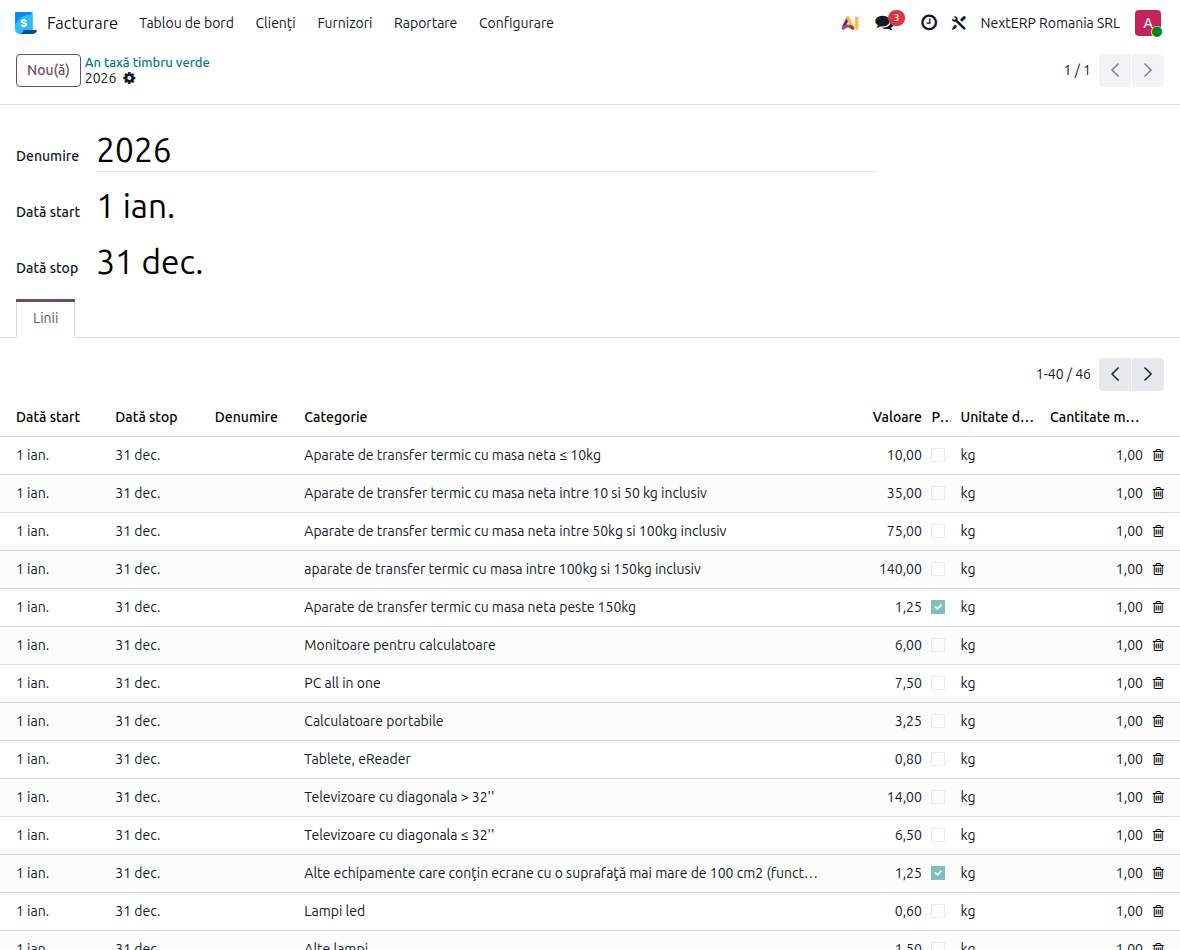
The module also has a hook for synchronising with ANAF publications, so the rates can be aligned without manual editing.
2. What goes on the product
Three things are configured on each product:
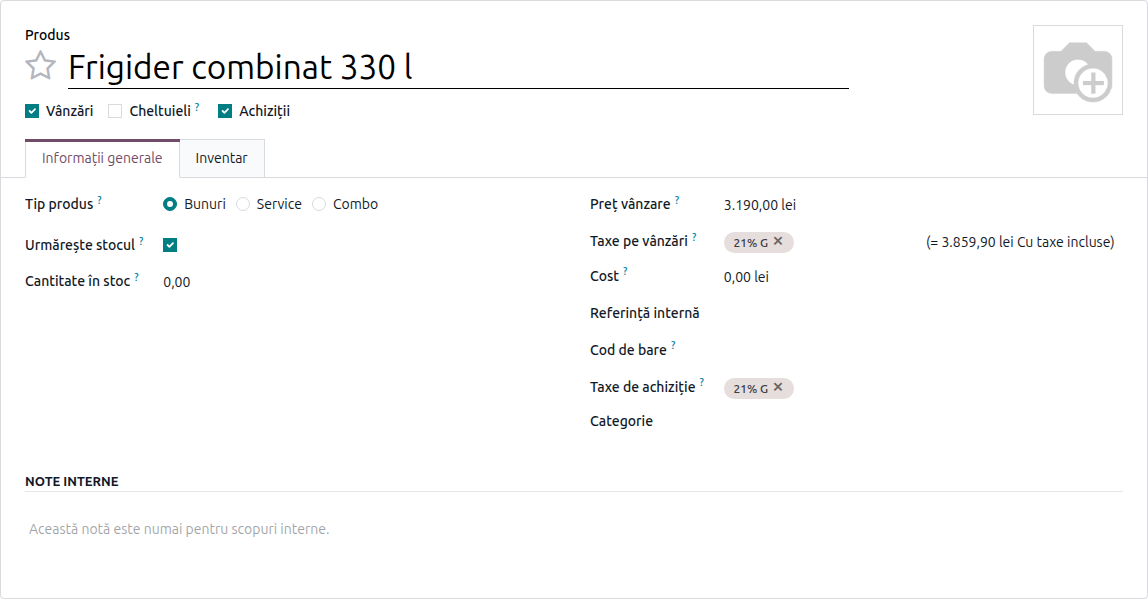
- the green stamp category — the one that decides the rate; you pick it yourself, out of the 46 preloaded ones, according to the band the product falls into;
- the net weight of the product;
- the weight of the electronic component, where it is counted separately.
Products without a category are left alone. This is not a behaviour applied across the whole catalogue, only where you asked for it.
Net weight does not enter every calculation: it only matters for rates defined per kilogram. For rates defined per piece, the amount is the same whatever the individual unit weighs — the band was already decided by the category.
The part that needs attention during implementation is precisely the classification into a category. The system does not derive it from the weight; you choose it, and a wrong classification only shows up in the report. If you work with per-kilogram rates, you also have to bring in the weights — from the datasheet, the supplier, or a scale.
3. Why the tax is computed by formula
The module extends Odoo's tax with a formula-based computation that receives the product and the invoice date. From those it picks the rate in force and applies it in one of two ways: value × quantity for per-piece rates, or value × quantity × net weight for per-kilogram ones.
Without it, the green stamp could not be expressed as a tax at all. It would stay a product line added by hand — which is exactly the thing that gets forgotten.
One more thing matters: the formula receives the invoice date, not today's date. An invoice issued in December and corrected in February stays on December's rate.
This way the stamp behaves like a real tax: it appears on the line, enters the totals, shows up in the tax reports and is booked to its own account.
4. On the invoice, the line appears by itself
On a customer invoice or a credit note, you add the product and the green stamp is computed and applied on the line, at the rate in force on the invoice date for its category.
Nobody adds it by hand. Which means, in practice, that nobody forgets it on the invoices issued on a Friday afternoon.
5. The report
There is a dedicated report, under Accounting → Reporting, with the green stamp value on every invoice line, in list and pivot form.

It is what has to be sent on to the scheme administrator, and it is built from the invoices issued, not from a file kept in parallel.
6. Activation
The tax and the account are not created by hand. Under Settings → Accounting there is a checkbox that loads the green stamp taxes for the company: the "Timbru verde" tax is created, with its account, tied to the existing categories.
It is the kind of step that, done manually, produces three slightly different configurations on three companies in the same database.
What to check on first setup
- One product from each category, with the weights filled in, put on a test invoice: what amount came out and whether it matches your own calculation.
- The effective period of the current rate covers the invoice date. An expired rate does not raise an error, it returns zero.
- Products without a category really are left alone — check on an invoice with mixed products.
- The account the tax is booked to is the one you expect, not a generic one.
- The report, on a closed month, compared against the invoice totals.
Why it is worth doing in the system
The green stamp is not a large amount on one invoice. But it is an amount on every invoice, over a whole year, and whoever checks it does not look at the total, they look at how it was computed.
The practical difference is between "we have a file with weights that somebody maintains" and "every invoice line knows which category and which weight its stamp came from". The second answers questions; the first opens an investigation.
We work with the Romanian localization on Odoo 19 and 20, for NextERP customers. If you sell electrical or electronic equipment and compute the green stamp outside the system, let's talk.